
Token Tables
Sortable tables of tokens with comprehensive metrics. Best for comparing tokens side-by-side.
- Price, market cap, FDV
- Volume (1h, 6h, 24h)
- Holders and holder changes
- Liquidity metrics
- Social signals
- Sort by any column (ascending/descending)
- Filter by exchange
- Set min/max values for any metric
- Filter bonded vs. unbonded tokens
Memescope
Live feed of new token launches on the Scope tab. Perfect for catching tokens early.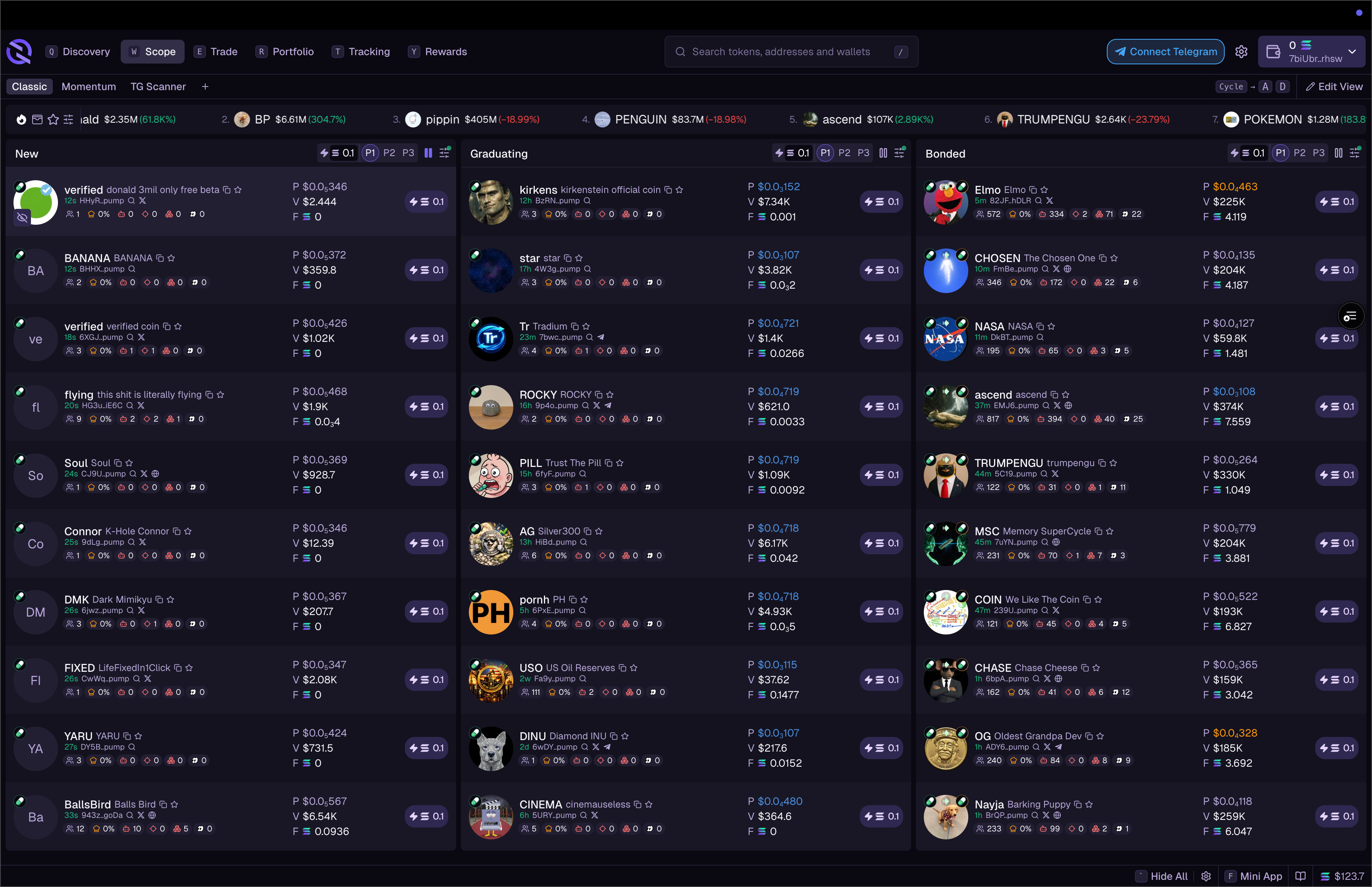
- New – tokens just launched
- Graduating – about to graduate from bonding curve
- Graduated – recently graduated tokens
- Real-time updates as tokens launch
- Filter by exchange (Pump.fun, Raydium, etc.)
- Filter by market cap, volume, and other metrics
- Quick buy buttons for instant execution
Listings
Track tokens as they list on different exchanges. See when tokens graduate from Pump.fun to Raydium, or get listed on centralized exchanges.Token Watchlist
Create custom lists of tokens you’re tracking:- Click the star icon on any token to add to watchlist
- Access your watchlist from the Token Watchlist widget
- Create multiple watchlists for different strategies
News Ticker
Scrolling feed of token-related news and social mentions. Configure which sources to include and filter by relevance.Tracked Wallets
Follow what successful traders are buying and selling. See their positions, recent trades, and PnL.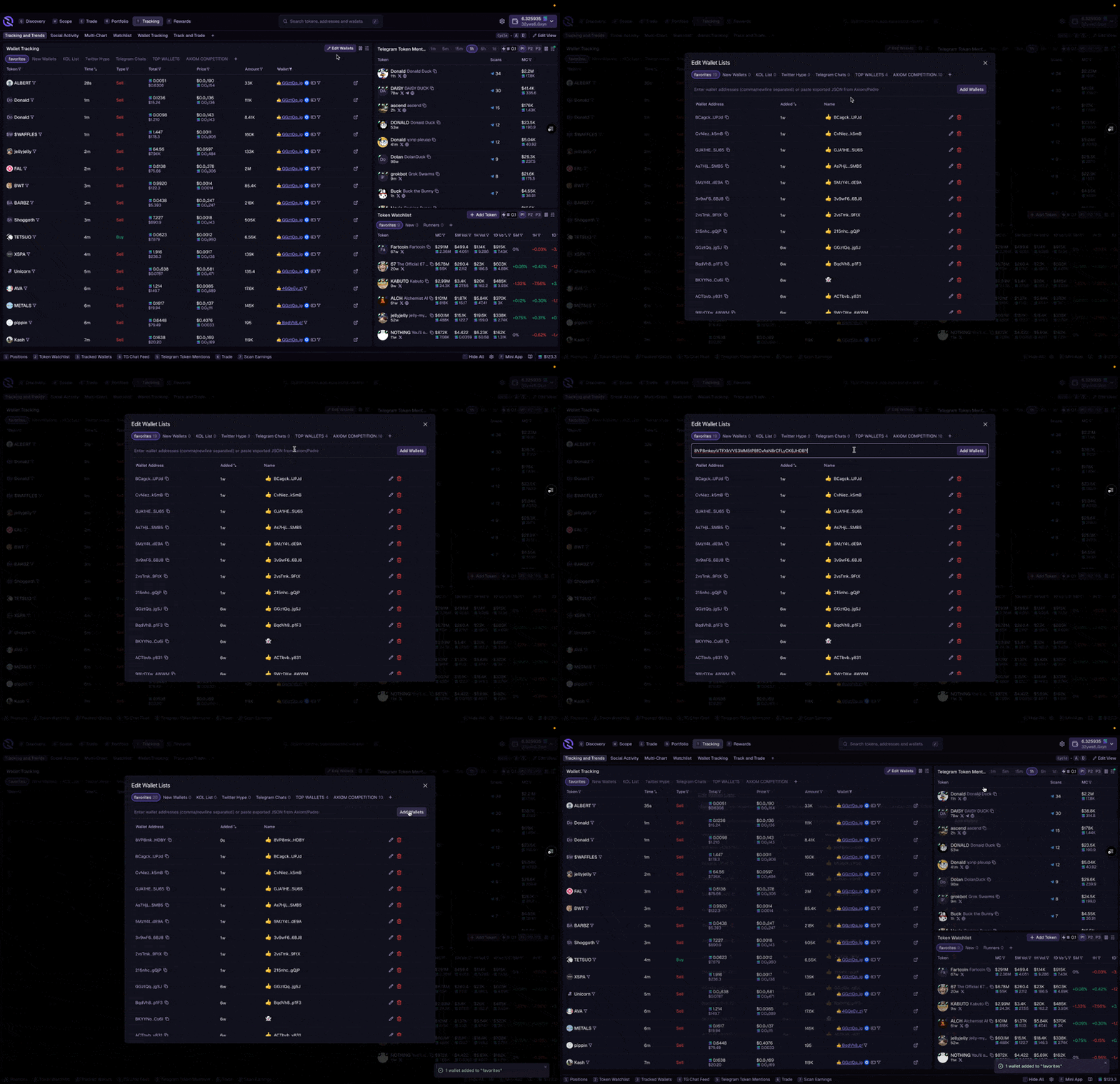
- Add a wallet address to your tracking list
- Give it a name and emoji for easy identification
- View tracked wallet activity in the Tracked Wallets widget
- See when tracked wallets buy or sell on the chart
Wallet tracking shows public blockchain data. You can track any wallet, but they won’t know you’re watching.
Social
View trending tokens and activity from your Telegram groups:- Mentions – trending tokens being discussed on Telegram
- My Chats – messages and token calls from your connected groups
- Scans – your Telegram scan events