> ## Documentation Index
> Fetch the complete documentation index at: https://docs.quickscope.gg/llms.txt
> Use this file to discover all available pages before exploring further.
# Transaction History
> Review your past trades, track performance, and analyze your trading activity
## Recent Transactions
Chronological list of all your trades and transfers:
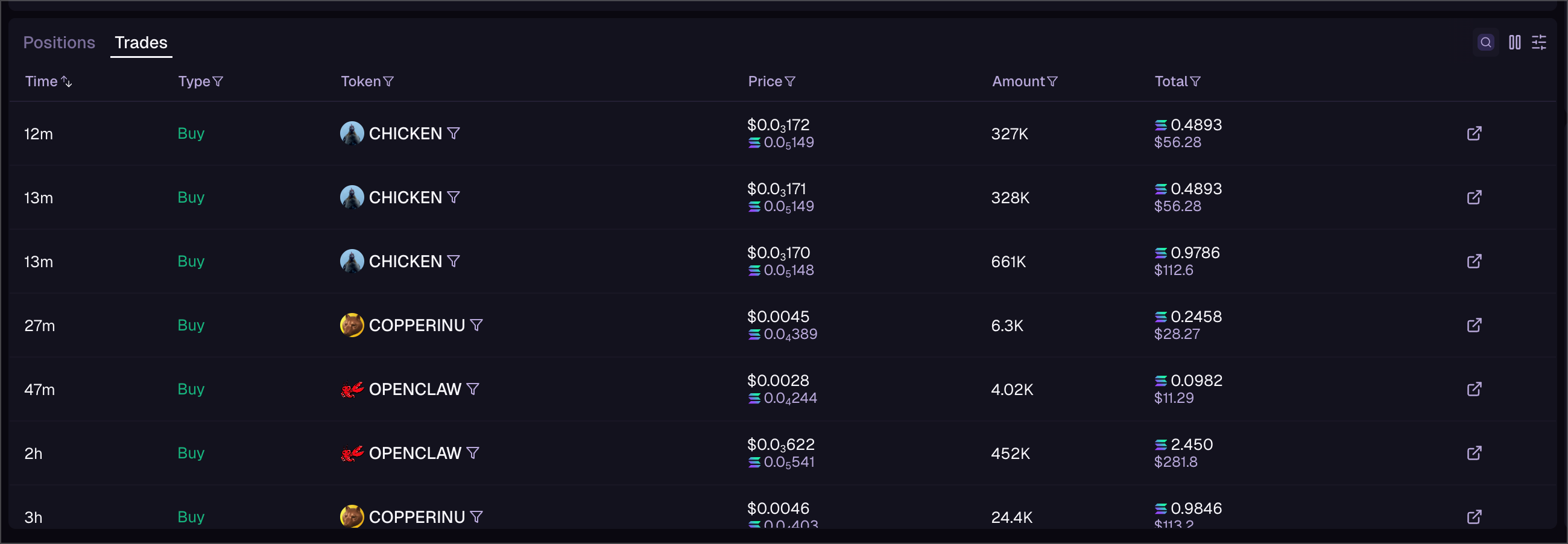 | Column | Description |
| ------ | ----------------------------- |
| Time | When the transaction occurred |
| Type | Buy, Sell, or Transfer |
| Token | What you traded |
| Amount | Size of the transaction |
| Price | Execution price |
| Total | Total SOL/USD value |
| Tx | Link to blockchain explorer |
**Filtering options:**
* Filter by type (buys, sells, transfers)
* Filter by token
* Filter by date range
* Set minimum transaction size
Find Recent Transactions in the Portfolio tab. Click any transaction to see full details including fees and slippage.
| Column | Description |
| ------ | ----------------------------- |
| Time | When the transaction occurred |
| Type | Buy, Sell, or Transfer |
| Token | What you traded |
| Amount | Size of the transaction |
| Price | Execution price |
| Total | Total SOL/USD value |
| Tx | Link to blockchain explorer |
**Filtering options:**
* Filter by type (buys, sells, transfers)
* Filter by token
* Filter by date range
* Set minimum transaction size
Find Recent Transactions in the Portfolio tab. Click any transaction to see full details including fees and slippage.